
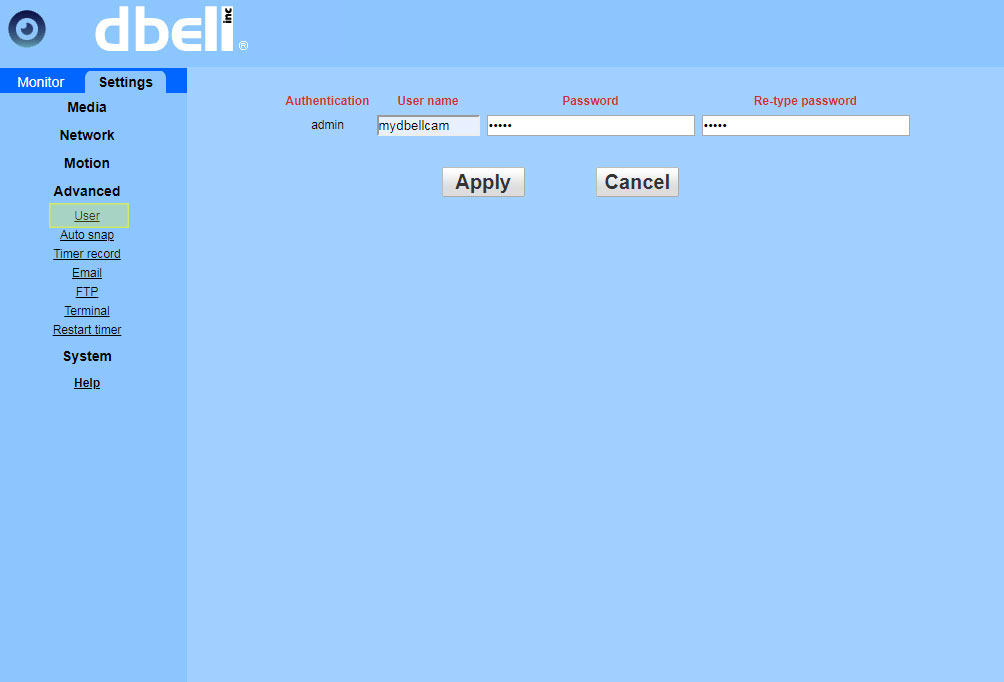
User name and password can be set/changed from Browser interface.
Warning!
If you change user name and/or password using Browser, your app will STOP working.
How to access camera browser interface:
- Open dbell app
- Click ‘Settings’ [4 square icon]
- Click 'Advanced settings'
- Click 'Network connection status'
- Note the IP address
- In your browser type: http://camera_ip found on the previous step
- Enter Credentials //to find Click Menu>Edit>3 lines
For dbell video doorbell
How to access dbell video doorbell from browser interface:
Find the dbell IP address from the app
- Open dbell app
- Click ‘Settings’ [4 square icon]
- Click 'Advanced settings'
- Click 'Network connection status'
- Note the IP address
- In your browser type: http://dbell_ip:81 found on the previous step
- Enter Credentials //to find Click Menu>Edit>3 lines
Comments
0 comments
Please sign in to leave a comment.